Gullu
Kids' Apps That Work Without Wi-Fi: How to Check Before a Trip
Short answer: The only sure way to know whether a kids' app works without Wi-Fi is to test it yourself in airplane mode before you travel. Turn on airplane mode, make sure Wi-Fi is off too, then open the app and try everything your child uses. It takes about five minutes per app and saves a lot of trouble on the road.
This page teaches the method. It does not rank apps. We make a coloring app, Gullu, so we are an interested party, and we report only our own app's test result further down.
How do I test an app in airplane mode?
Do it at home, a few days before the trip, on the device your child will use.
On iPhone or iPad. Apple's support page says to open Control Center and tap the Airplane Mode button (Apple, Airplane Mode). There is one catch. Apple also says you can still use Wi-Fi and Bluetooth in Airplane Mode, so Wi-Fi may stay connected. Look at the Wi-Fi button in Control Center and turn it off as well, or the test proves nothing.
On Android. Google's Pixel help pages say to open Settings, tap Network & internet, and turn Airplane mode on. You can also swipe down from the top of the screen (Google, Pixel Phone Help). Google notes that Wi-Fi and Bluetooth turn off the first time you use Airplane mode, but if you once switched them back on, the phone remembers that choice next time (Google, Pixel Phone Help). So check the Wi-Fi icon here too. These steps are for Pixel devices. Menus on other Android phones and tablets can differ.
Then run the test:
- Close the app fully first. An app that is already open may be running on content it loaded earlier.
- Open it with no connection. Does it start, or does it show a "no internet" message or a spinner?
- Do what your child does. Open several different activities or pages, not only the last one used.
- Save something. Finish a picture or a level and check that it is still there after you close and reopen the app.
- Open something new. Pick content your child has never opened. This is where many apps fail.
- Wait ten minutes and try again. Some apps work at first and then ask to reconnect.
If every step passes, the app is ready for the trip.
Why do some kids' apps need the internet?
Because part of the app lives on a server, not on your device. In general terms, the common reasons are:
- Content that downloads when opened. Videos, new levels or extra pages may be fetched the first time a child taps them.
- Sign-in. An app with an account may need to check it.
- Ads. Ads are delivered over the internet.
- Purchases. Buying or restoring a purchase goes through the app store, which needs a connection.
These are general descriptions of how apps are built, not findings about any one app. Two apps that look alike can behave very differently offline, which is why the test matters more than the store description.
Some apps let you download content ahead of time. If an app has a download button or an offline setting, use it at home on Wi-Fi, then run the airplane-mode test again.
What should work offline in a coloring or drawing app?
Everything your child will touch. Use this as a checklist during the test.
| What to try in airplane mode | Pass looks like |
|---|---|
| Open the app from fully closed | Reaches the home screen with no error |
| Open three pages or activities never used before | Each one loads |
| Color or draw with each tool | Tools respond as usual |
| Finish and save a picture | It appears in the gallery |
| Close and reopen the app | Saved pictures are still there |
| Switch child profile, if the app has profiles | Each profile opens |
| Tap a locked or paid item | A clear message, not a frozen screen |
| Leave the app idle for ten minutes, then return | Still works |
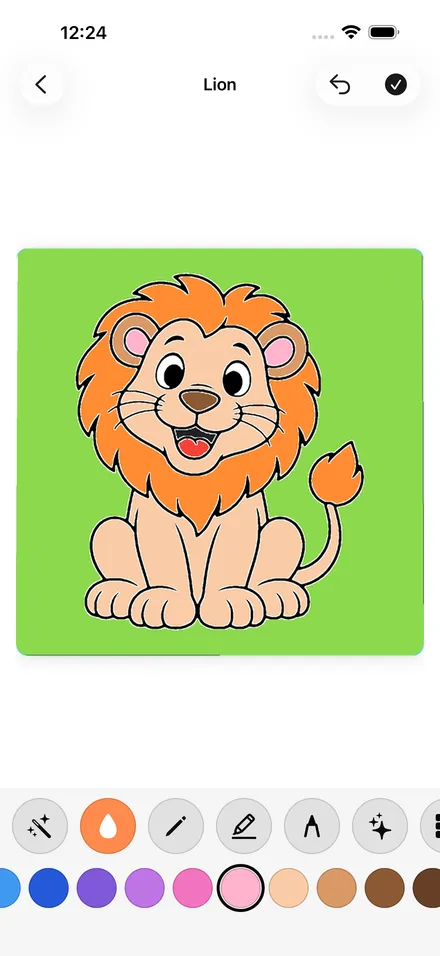
Our own result. We tested Gullu on Apple devices in airplane mode on November 11, 2026. Once installed, Gullu on iPhone, iPad and Mac works with no Wi-Fi or mobile data: coloring, drawing, the "Draw it" tracing mode, the gallery and saving all work. Buying or restoring Gullu Plus needs a connection, because that goes through the App Store. If you use iCloud, copies sync when the device is back online. More detail is on Gullu offline.
Gullu for Android is not public yet and has not had its own offline test, so we make no offline claim for it.
Please run the test on your own device anyway. That is the point of this page.
Do offline apps still show ads?
It depends on the app, and we have no official source that covers all of them. Ads are delivered over the internet, so an ad-funded app may behave differently with no connection. Some keep working, and some hold content back until they can reconnect. Your airplane-mode test will show you which.
The business model is worth checking either way. A 2022 study in JAMA Network Open looked at the apps used most by 160 children aged 3 to 5. The researchers found that design features that push children to keep playing, to buy things or to watch ads were common in that sample (Radesky and colleagues, 2022). The study did not test offline use.
An app with no ads at all behaves the same online and offline in this respect. Gullu has no ads on iPhone, iPad and Mac. The Android version will be free with ads. For how to tell before you download, see coloring apps for toddlers without ads and choosing a coloring app.
What is a good pre-trip tablet checklist?
Do these at home on Wi-Fi, two or three days before you leave.
- Update the apps. Then open each one once while online, in case it needs to finish setting up.
- Download content. Use any in-app download or offline option.
- Run the airplane-mode test on each app your child will use.
- Decide about purchases. Buy or restore anything you want before you go, since stores need a connection. To block surprises, Apple's steps are Settings, Screen Time, Apps & Websites, App Store, then In-app Purchases set to Blocked (Apple, in-app purchases). On Google Play, purchase verification is under your profile picture, then Payments & subscriptions (Google Play Help).
- Lock the device to one app. On iPhone and iPad, Guided Access temporarily restricts the device to a single app. You turn it on in Settings under Accessibility and start it with a triple-click of the side or top button (Apple, Guided Access). On Android, app pinning keeps one app's screen in view until you unpin it (Google, Android Help).
- Charge, and pack a cable.
- Pack headphones made for children, if the app has sound.
- Pack paper too. A few printed pages and crayons need no battery. This site has 100 free printable coloring pages.
For the full setup, see iPad setup for young kids. For the journey itself, see airplane activities for toddlers and road trip activities for kids.
Do the app stores say which apps work offline?
Not in a way we could verify. We did not find an official Apple or Google help page that defines an "offline" label or filter for apps, so we do not point you to one. Store descriptions are written by each app's developer. Some say "works offline" and some say nothing.
Treat a store description as a hint and your own test as the answer. If a description promises offline use and the test fails, the developer's support contact is listed on the app's store page.
FAQ
How do I know if an app works without Wi-Fi?
Turn on airplane mode, confirm Wi-Fi is off, close the app fully, then open it and try everything your child uses. If it all works, including content never opened before, the app works offline.
Does airplane mode turn off Wi-Fi?
Not always. Apple says you can still use Wi-Fi and Bluetooth in Airplane Mode. Google says Wi-Fi turns off the first time, but the phone remembers if you turned it back on. Check the Wi-Fi icon each time.
Does Gullu work without Wi-Fi?
On iPhone, iPad and Mac, yes. Once installed, coloring, drawing, "Draw it", the gallery and saving work with no Wi-Fi or mobile data. Buying or restoring Gullu Plus needs a connection. We make no offline claim for the Android version, which has not been tested.
Why did an app work at home but not on the plane?
Often because the home test ran with Wi-Fi still on, or because the child opened content on the plane that had never been downloaded. Test with Wi-Fi off and open new content during the test.
Can my child buy things in an app while offline?
Purchases go through the app store, which needs a connection. You can still block in-app purchases in Screen Time on Apple devices, or require verification on Google Play, so nothing happens when the device reconnects.
Do I need to stay signed in for apps to work offline?
It depends on the app. An app with an account may need to check it online from time to time. Open each app once on Wi-Fi shortly before the trip, then test it in airplane mode.
Sources
- Apple Support, "Use Airplane Mode on your iPhone, iPad, Apple Watch, and Apple Vision Pro": https://support.apple.com/en-us/108785
- Apple Support, Guided Access on iPhone and iPad: https://support.apple.com/en-us/111795
- Apple Support, "Turn off Apple In-App Purchases from Screen Time on your iPhone or iPad": https://support.apple.com/en-us/102470
- Google, Pixel Phone Help, "Control airplane mode, private DNS & other network settings": https://support.google.com/pixelphone/answer/2819583?hl=en
- Google, Pixel Phone Help, "Keep your Android's wireless connections on in Airplane mode": https://support.google.com/pixelphone/answer/12639358?hl=en
- Google, Android Help, "Pin & unpin screens": https://support.google.com/android/answer/9455138
- Google Play Help, "Purchase verification for Google Play": https://support.google.com/googleplay/answer/1626831
- Radesky, J., and colleagues (2022). Prevalence and characteristics of manipulative design in mobile applications used by children. JAMA Network Open, 5(6), e2217641: https://pubmed.ncbi.nlm.nih.gov/35713902/