Gullu
Coloring on a Tablet vs Paper: Is One Better for Young Kids?
Short answer: Neither is simply better. Paper and crayons are the main practice for hand skills and have no screen-time cost. A coloring app counts as screen time, which the WHO caps at 1 hour a day for ages 2 to 4. Studies on tablets and fine motor skills disagree, so use paper as the base and an app as an extra.
What is different about coloring on a screen?
The tool, the mess and the screen-time cost. On paper a child grips a crayon; on a tablet most children use a fingertip, or a stylus if they have one. The CDC's 4-year milestone is about holding a crayon or pencil between fingers and thumb (CDC), and only paper, or a stylus, practices that hold.
| Paper and crayons | Tablet coloring app | |
|---|---|---|
| What the hand does | Grips a crayon or pencil | Fingertip, or a stylus |
| Mistakes | Stay on the page | Undo |
| Mess and supplies | Crayons, paper, a table | One device |
| Screen time | None | Counts toward the daily total |
| Finished work | A page for the fridge | A saved picture |
| Ads and purchases | None | Depends on the app |
These are plain differences, not research findings. The research comes next.
What do studies say about tablets and fine motor skills?
They disagree, and none of the three studies below tested a coloring app against crayons.
- Against tablets. Eighty preschoolers (average age about 5) followed a 24-week home program. The 40 who did manual play activities improved significantly more in fine motor precision, fine motor integration and manual dexterity than the 40 who used a touch-screen tablet. The authors concluded that extensive tablet use "might be disadvantageous" for preschoolers' fine motor development (Lin et al., 2017).
- For tablets, slightly. A cross-sectional study compared 26 children aged 24 to 42 months who used tablets often with 52 who did not. Fine motor scores slightly favored the tablet group. Most of those children used tablets with a parent and stayed within recommended time limits (Souto et al., 2020).
- No harm found. In a UK survey of 715 parents, earlier touchscreen scrolling was linked to earlier fine motor milestones, such as stacking blocks, among toddlers aged 19 to 36 months. The authors found no evidence of a negative link between age of first touchscreen use and developmental milestones (Bedford et al., 2016).
The studies differ in design. The first was a 24-week program with a comparison group. The other two were snapshots that cannot show cause. A fair reading: moderate, shared tablet use has not been shown to harm hand skills, and hands-on play has the stronger evidence for building them.
Does finger coloring build pencil skills?
Not directly, as far as we could find. No study we read measured pencil skills after finger coloring on a screen. Moving one fingertip across glass is a different action from gripping and steering a crayon. The American Academy of Pediatrics lists coloring with crayons or chalk among activities that help a 3-year-old's hand abilities, and describes children moving from a fist grip to an adult-style hold at about that age (AAP).
A stylus brings the hold closer to a pencil, but no study we read tested whether that carries over to paper. What screen coloring can still offer is color choice, planning and something to talk about. For the hand-skill side, see our guide to the benefits of coloring.
When does a coloring app make sense?
When paper is impractical, and when you can sit alongside. Good moments are a waiting room, a long journey, or a day when a child wants to color again and again without using up a stack of paper. An app also suits children who get upset by mistakes, because undo takes the pressure off.
Shared use takes some effort. In one study, 56 toddlers and a parent each did a 3-minute drawing task on a tablet and on an Etch-A-Sketch. Parent and child cooperated less, and the interaction was less warm, in the tablet condition, especially with younger toddlers (Carr & Dempster, 2021). So sit close, let the child hold the device, and talk about the picture instead of directing it.
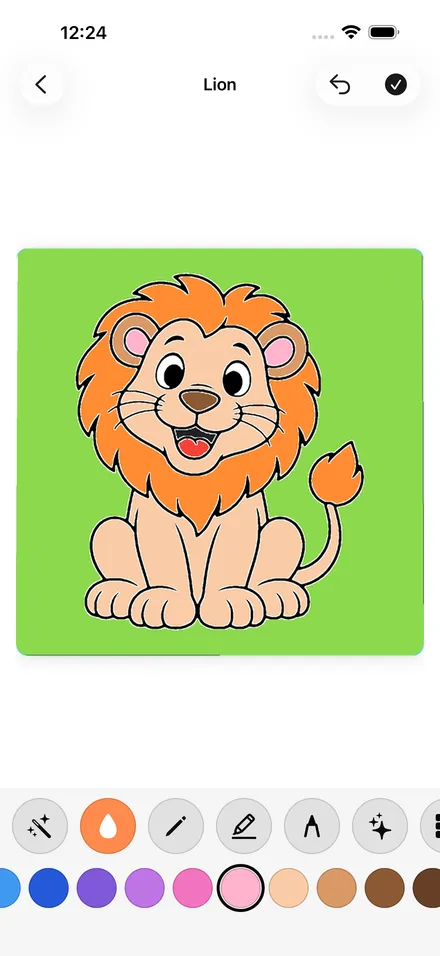
App quality matters as much as the screen. Our guide to choosing a coloring app lists what to check, including ads and purchase prompts. For transparency: we make Gullu, a coloring app for iPhone, iPad and Mac with no ads, and we also give away printable coloring pages, so we suggest using both.
When is paper the better choice?
Under age 2, before bed, at meals, and for everyday hand practice.
- Under 2. The WHO recommends no sedentary screen time for 1-year-olds and no screen time for babies (WHO). The CDC lists scribbling as an 18-month milestone (CDC), and crayons and paper are the way to get there.
- Before bed. The AAP suggests screen-free bedrooms and mealtimes, especially in the hour before bed (HealthyChildren.org). A coloring page fits a wind-down routine.
- When the art is for someone. A card for a grandparent or a picture for the classroom wall needs paper.
- For grip practice. Crayons, pencils and chalk are the tools the milestones describe.
Our guide to printing coloring pages covers paper, sizing and ink.
How do you mix both in a week?
Make paper the default and the app the planned extra. There is no official ratio, so this is one sample pattern for a 3- to 6-year-old, with all screen use counted inside your family's daily limit:
- Most days: crayons and paper within reach at a table, with one or two fresh pages. Free drawing counts too.
- Two or three times a week: a short app session, one or two pictures, with an adult nearby.
- Travel and waiting: the app, or a clipboard with pages and a small crayon pouch.
- Evenings: paper only.
Link the two when you can. If your child colors a dinosaur in an app, print a dinosaur page the next day. You can try a few sample pages in the browser on our color online page to see whether your child enjoys screen coloring before installing anything.
What do pediatric groups say about creative screen time?
They count it as screen time and ask you to look at quality. The WHO recommends no more than 1 hour of sedentary screen time a day for ages 2 to 4, with less being better. It encourages reading, storytelling and puzzles with a caregiver as quality sitting-down time (WHO). The CDC's tips for ages 2 to 5 use the same 1-hour figure (CDC).
The American Academy of Pediatrics' 2026 guidance moves beyond simple time limits to quality, context and conversation. It says screens can offer creative outlets, warns that features like autoplay and targeted ads are not built with children's well-being in mind, and recommends using media alongside your child (HealthyChildren.org). None of these bodies ranks coloring apps against paper. Our guide to screen time and creative apps goes through the guidance in detail.
FAQ
Is coloring on an iPad bad for toddlers?
Short, shared sessions have not been shown to cause harm, but the evidence is thin. For children under 2 the WHO recommends no sedentary screen time, so stick to crayons and paper at that age.
Does a coloring app count as screen time?
Yes. Sitting with a tablet is sedentary screen time by the WHO's description, whatever the activity. Count it within your family's daily limit.
Should my child use a stylus or a finger?
A finger is simplest for the youngest children. From about age 4, when most children hold a crayon between fingers and thumb, a stylus allows the same kind of hold. No study we read shows that either one improves handwriting.
Which is better for learning to stay inside the lines?
Paper shows a child exactly where the crayon went, which is how control develops. Some apps keep color inside the lines automatically, which makes a neat picture but is not the same practice.
Sources
- World Health Organization, "To grow up healthy, children need to sit less and play more" (April 24, 2019): https://www.who.int/news/item/24-04-2019-to-grow-up-healthy-children-need-to-sit-less-and-play-more
- HealthyChildren.org (AAP), "Helping Kids Thrive in a Digital World: AAP Policy Explained": https://www.healthychildren.org/English/family-life/Media/Pages/helping-kids-thrive-in-a-digital-world-AAP-policy-explained.aspx
- HealthyChildren.org (AAP), "Hand and Finger Skills of Your Preschooler": https://www.healthychildren.org/English/ages-stages/preschool/Pages/Hand-and-Finger-Skills-of-Your-Preschooler.aspx
- CDC, "Important Milestones: Your Child By Eighteen Months": https://www.cdc.gov/act-early/milestones/18-months.html
- CDC, "Important Milestones: Your Child By Three Years": https://www.cdc.gov/act-early/milestones/3-years.html
- CDC, "Important Milestones: Your Child By Four Years": https://www.cdc.gov/act-early/milestones/4-years.html
- Lin, L.-Y., Cherng, R.-J., & Chen, Y.-J. (2017). Effect of touch screen tablet use on fine motor development of young children. Physical & Occupational Therapy in Pediatrics, 37(5), 457–467: https://pubmed.ncbi.nlm.nih.gov/28071977/
- Souto, P. H. S., et al. (2020). Tablet use in young children is associated with advanced fine motor skills. Journal of Motor Behavior, 52(2), 196–203: https://pubmed.ncbi.nlm.nih.gov/31007146/
- Bedford, R., et al. (2016). Toddlers' fine motor milestone achievement is associated with early touchscreen scrolling. Frontiers in Psychology, 7, 1108: https://pubmed.ncbi.nlm.nih.gov/27531985/
- Carr, A., & Dempster, T. (2021). Parent-child interactions during joint engagement with touchscreen technology: A comparison of younger versus older toddlers. Infant Behavior and Development, 64, 101587: https://pubmed.ncbi.nlm.nih.gov/34098524/