Gullu
GulluHow to Choose a Safe Coloring App for Kids — A Parent's Checklist
Short answer: A safe coloring app for young kids collects little or no data, keeps ads and purchase prompts away from children, puts settings and links behind a parental gate, and is clear about what it costs. Check the store privacy label, read the pricing before you download, and try the app yourself for a few minutes before handing it over.
The quick checklist
Use this before you download, and again after five minutes of playing the app yourself.
- Privacy label: The App Store privacy label or Google Play Data safety section shows little or no data collected, and nothing used for tracking.
- Ads: No ads, or only non-personalized, child-appropriate ads that don't interrupt coloring.
- Purchase pressure: No characters or pop-ups urging kids to buy.
- Parental gate: Settings, purchases and outside links sit behind an adult-only check.
- Pricing: You know whether it's free, ad-supported, a subscription or a one-time purchase, and how to cancel.
- Offline: The core coloring works without Wi-Fi (test in airplane mode).
- Account: No sign-up needed for a child to color, or the account is clearly for the parent.
- Age fit: Big tools and simple controls for preschoolers. An undo button that's easy to find.
- Saving and sharing: You control whether art is saved to Photos or shared anywhere.
How do I read an app's privacy label?
Both major app stores show a privacy summary on the app's page.
Apple's App Privacy details (often called the "privacy nutrition label") show what data an app may collect, whether it is linked to the user, and whether it is used to track them across other companies' apps and websites. Developers fill these in themselves and must keep them up to date (Apple Developer). The strongest label you can see is Data Not Collected.
Google Play's Data safety section lists the data an app collects and shares, why, and whether it is encrypted in transit. These are also developer declarations, and an independent security review badge does not verify that they are accurate (Google Play Help).
What to look for: For a coloring app, there's little reason to collect much beyond basic crash data. Be wary of "Data Used to Track You," precise location, contacts, or "Identifiers" shared with third parties.
In the US, the FTC's amended COPPA Rule took full effect on April 22, 2026. Among other changes, it requires services covered by COPPA to get separate parental consent before disclosing children's personal information to third parties, for example for targeted advertising (Federal Register).
Are ads in kids' apps a problem?
They are very common. A University of Michigan study coded 135 popular apps for children 5 and under and found that 95% contained at least one type of advertising. Formats included pop-up videos that interrupted play, ads to unlock items, and commercial characters urging purchases. Ads appeared in 100% of free apps and 88% of paid apps, and at similar rates in apps labeled "educational" (Meyer et al., 2019; Michigan Medicine).
The store rules differ:
| Apple App Store (Kids Category) | Google Play (Families policy) | |
|---|---|---|
| Third-party ads | Generally not allowed. Limited contextual ads only with human review of ad creatives | Allowed through Google's self-certified ads SDKs |
| Personalized ads to children | Not allowed | Not allowed |
| Ad content | Any allowed ads need human review for age appropriateness | Ads must be child-appropriate, not deceptive, and not designed to cause accidental taps |
| Purchases and links | Behind a parental gate | No manipulative tactics to push ads or purchases |
Sources: App Review Guidelines 1.3 and 5.1.4, Google Play Families policy.
An ad-supported app can still be a reasonable choice. Look for non-personalized ads, no ads in the middle of a picture, and a way to remove ads with one purchase.
What is a parental gate, and why does it matter?
Apple describes parental gates as "adult-level tasks" that keep kids from buying things or following links out of the app without a parent knowing (Apple Developer). Apps in Apple's Kids Category must put links out and purchase opportunities behind one (guideline 1.3).
Test it: Tap the settings or shop button as your child would. A good gate asks something a preschooler can't easily answer, such as a math question or reading instructions. A big "Ask a grown-up" button with no check isn't a gate.
On iPhone and iPad, Ask to Buy adds a second layer. Depending on the child's country or region it may be on by default, and it can't be turned off for a child under 18, so purchase requests come to a parent for approval (Apple Support).
Subscription, one-time purchase or ads: which is best?
There's no single right answer, but each model has trade-offs.
| Model | Upside | Watch out for |
|---|---|---|
| Free with ads | No cost to try | Interruptions, ads that look like content, rewarded-ad pressure |
| Free with in-app purchases | Pay only for what you want | Constant "unlock" prompts aimed at kids |
| Subscription | Ongoing new content, often a lower monthly price | Auto-renewal. Check the yearly total |
| One-time purchase | Pay once, no renewals | Higher upfront price; check what's included |
Before subscribing, find out how to cancel. On Apple devices, subscriptions are managed in Settings > [your name] > Subscriptions, and Apple advises canceling a free trial at least 24 hours before it ends (Apple Support).
Does the app work offline?
Offline use matters in the car, on a plane, or when you'd rather the tablet had no internet at all. Turn on airplane mode and open the app. If coloring, saving and the gallery still work, you're set. An app that needs a connection for everything may also be loading ads or sending data.
What else makes a coloring app good for young kids?
- Simple tools: Fill and a "stay inside the lines" brush help toddlers succeed. A simpler mode for the youngest is a plus.
- Undo that's easy to find: Frustration ends a session faster than anything.
- No timers or streaks: Engagement tricks don't belong in a calm activity. The AAP has called for "minimizing designs that prolong engagement" in children's digital products (AAP, 2026).
- Room for creativity: A blank canvas or free-draw option alongside ready-made pages.
- Profiles for siblings: So one child's gallery doesn't overwrite another's.
An example from our own app
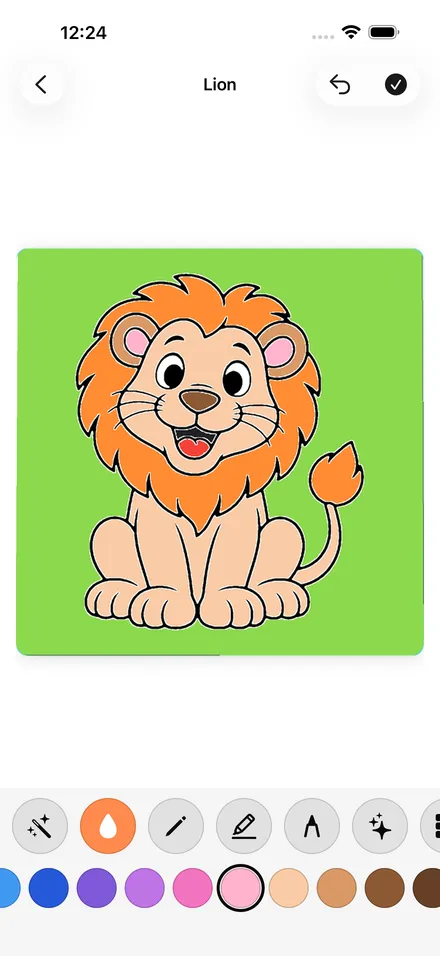
Here is how our own app, Gullu, compares. On iPhone, iPad and Mac it has no ads, no tracking, no analytics and no account. Its App Store privacy label reads Data Not Collected. Parent settings sit behind a multiplication-question parental gate. It's a free download with the first page of every land free. The rest unlocks with an optional subscription or a one-time lifetime purchase. The Android version is coming soon and works differently: all pages are free and it shows child-directed, non-personalized ads. A banner sits under the picture, an ad can play between pages, and glitter, patterns and stickers open on a page after a short ad. A one-time purchase removes all of them. By the checklist above, that makes the Android version a weaker fit for families who want no ads at all. Whatever app you choose, run it through the checklist above.
FAQ
What's the safest type of coloring app for a preschooler?
One that collects no data, shows no ads, keeps purchases and links behind a parental gate, and works offline. The App Store label "Data Not Collected" is a good first filter.
Are free coloring apps safe?
Many are fine, but free apps are more likely to carry ads. In one study, all of the free apps sampled contained advertising. Check the privacy label, play the app yourself, and look for a paid option to remove ads.
How can I stop my child from making in-app purchases?
Use a parental gate inside the app, and turn on Ask to Buy (Apple) or purchase approvals in your device's family settings so purchases need your approval.
Do kids need an account to use a coloring app?
Usually not. A child shouldn't need an email or sign-in to color. If an app requires an account, check what it collects and who it's shared with.
Should I choose a coloring app or printable pages?
Both have a place. Paper builds crayon grip, while apps offer variety and easy cleanup. Our free printable coloring pages, one in each of Gullu's 44 themes, are a no-screen option for personal and classroom use.
Sources
- Apple Developer, "App privacy details on the App Store": https://developer.apple.com/app-store/app-privacy-details/
- Apple Developer, "App Review Guidelines" (1.3 Kids Category, 5.1.4 Kids): https://developer.apple.com/app-store/review/guidelines/
- Apple Developer, "Kids apps on the App Store": https://developer.apple.com/app-store/kids-apps/
- Apple Support, "Approve what kids buy and download with Ask to Buy": https://support.apple.com/105055
- Apple Support, "Cancel a subscription from Apple": https://support.apple.com/118428
- Google Play Help, "Learn about the Data safety section on Google Play": https://support.google.com/googleplay/answer/11416267
- Google Play Console Help, "Families Policies": https://support.google.com/googleplay/android-developer/answer/9893335
- Federal Register, "Children's Online Privacy Protection Rule" (final rule, April 22, 2025): https://www.federalregister.gov/documents/2025/04/22/2025-05904/childrens-online-privacy-protection-rule
- Meyer, M., et al. (2019). Advertising in young children's apps: A content analysis. Journal of Developmental & Behavioral Pediatrics, 40(1), 32–39: https://doi.org/10.1097/DBP.0000000000000622
- Michigan Medicine, "Advertising in Kids' Apps More Prevalent Than Parents May Realize": https://www.michiganmedicine.org/health-lab/advertising-kids-apps-more-prevalent-parents-may-realize
- American Academy of Pediatrics, "American Academy of Pediatrics Calls for Creating a Child-Friendly Digital World" (Jan. 20, 2026): https://www.aap.org/en/news-room/news-releases/aap/2026/american-academy-of-pediatrics-calls-for-creating-a-child-friendly-digital-world/