Gullu
A Tracing App for Kids: Trace a Picture, Then Color It
Short answer: Gullu has picture tracing, called "Draw it". A dotted guide appears part by part, the child traces each part, and the finished picture is then theirs to color. It traces pictures, including letters A to Z and numbers 0 to 9, but it is not a handwriting course.
"Tracing app" can mean two things. Some apps teach letter formation with stroke order. Others let a child trace a picture. Gullu is the second kind, and it is worth knowing that before you download.
How does tracing work in Gullu?
Tracing lives in a feature called "Draw it".
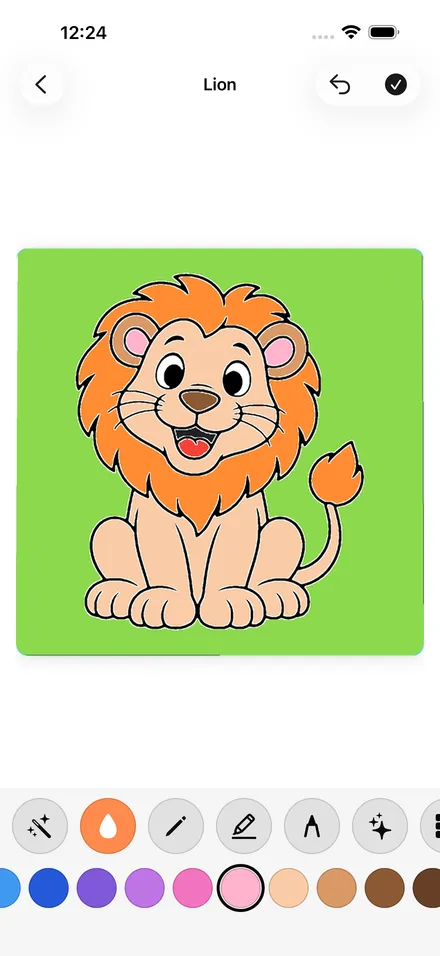
- A dotted guide appears for one part of the picture, such as a lion's head.
- The child traces it with a finger or an Apple Pencil. When enough of the part is covered, it snaps into place.
- The next part appears, and so on until the picture is whole.
- The full picture shows in the pencil color, ready to be colored with any tool.
The guide comes in small parts, so a child deals with one short line at a time.
What can a child trace?
Every coloring page has its own lesson, so there are more than 1,000. That includes the Letters land (26 pages, A to Z), the Numbers land (10 pages, 0 to 9) and the Shapes land (24 pages).
Does Gullu teach letter writing?
No, and we would rather say so plainly. The letter pages show a big friendly capital letter beside a matching picture. A child traces the outline of that drawing. There is no stroke order, no lowercase practice and no lined paper. If you want handwriting practice, look for an app or workbook made for it.
For where tracing fits in learning to write, see is tracing good for kids and when a child should write their name.
Which tracing lessons are free?
The lesson for the first page of every land is free: 47 lessons, including the first Letters, Numbers and Shapes pages. Gullu Plus unlocks the rest for US$3.99 a month, US$24.99 a year or US$39.99 once. There is no free trial.
Which devices does it run on?
iPhone with iOS 17, iPad with iPadOS 17 and Apple silicon Mac with macOS 14. On those devices there are no ads. The Android version is in closed testing and will have ads.
Download Gullu on the App Store.
FAQ
What age is the tracing for?
Gullu is designed for ages 3 to 7. Tracing asks for more control than tap to fill, so many children come to it after they are comfortable coloring.
Is it a letter tracing app?
No. It traces pictures. The Letters and Numbers lands can be traced as drawings, without stroke order.
Does my child need an Apple Pencil?
No. A finger works. Apple Pencil works too.
What happens after tracing?
The traced picture appears as the full picture in the pencil color, and the child colors it.
Are the tracing lessons free?
47 are free, one for the first page of each land. The others come with Gullu Plus.