Gullu
Apple Pencil Coloring App for Kids Ages 3 to 7
Short answer: Yes, Gullu works with Apple Pencil. It is a coloring app for kids ages 3 to 7 on iPad, with more than 1,000 coloring pages and no ads. A Pencil is not required, because every tool also works with a finger, and the app is a free download.
If there is an Apple Pencil in the house and a small child who wants to use it, a coloring app is a calm place to start. This page keeps to what we can state as fact about Gullu and the Pencil.
Does Gullu work with Apple Pencil?
Yes. Gullu works with Apple Pencil on iPad. A child can pick a tool and color or draw with the Pencil in the same way as with a finger.
We do not publish claims about pressure, tilt or particular Pencil models, because we only state what we have confirmed. If one of those matters to you, the download is free, so you can try it with your own iPad and Pencil.
| Price | Free download. Gullu Plus is US$3.99 a month, US$24.99 a year or US$39.99 once |
| Ages | Designed for ages 3 to 7 |
| Platforms | iPad with iPadOS 17 (works with Apple Pencil), iPhone and Mac |
| Privacy label | Data Not Collected |
Does my child need a Pencil to color?
No. Gullu is the same app on iPhone, where there is no Pencil at all, so everything works with a finger. Tap to fill needs only a tap, and pinch to zoom brings small spaces closer.
Which tools can a child use?
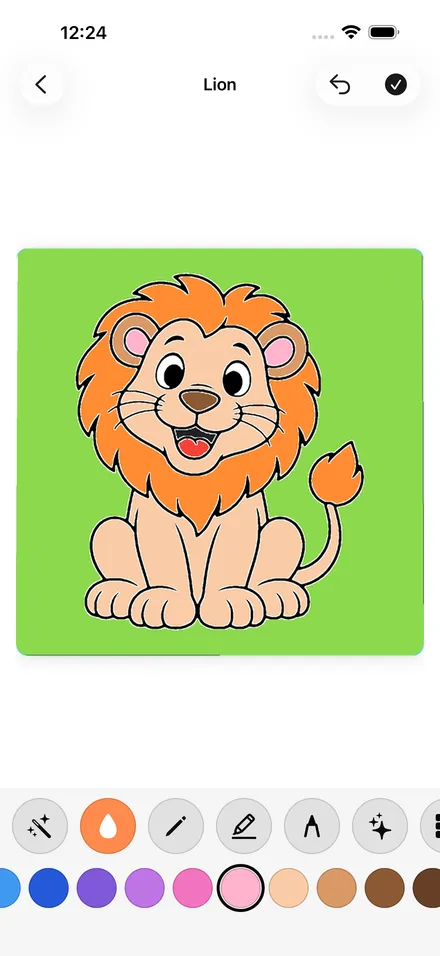
- Crayon and marker for coloring by hand
- Tiny pen for small spaces
- Magic brush, which keeps the color inside the lines
- Tap to fill, which colors a whole space at once
- Glitter, patterns and stickers for decorating
- Eraser and one-tap undo
Can kids draw with it, or only color?
They can draw. Gullu has a blank sheet for free drawing. It also has "Draw it": a dotted guide appears part by part, the child traces each part, and then colors the finished picture.
What will they color?
1,000 coloring pages, set in lands on one scrolling world map. Every finished page adds to the map, and each one gets its own art show with confetti. The full tour describes the map and the lands.
Is it safe to hand over the iPad?
On iPad, iPhone and Mac, Gullu has no ads, no tracking, no analytics and no account. Parent settings sit behind a parental gate, which is a multiplication question. Behind it you can switch off saving to Photos, and turn on Simple mode for the youngest children. The iPad page has more on sharing one iPad between children.
What does it cost?
Gullu is free to download, and the first page of every land is free with every tool, so the Pencil can be tried on every kind of picture. Gullu Plus unlocks the other pages and their tracing lessons for US$3.99 a month, US$24.99 a year or US$39.99 once. There is no free trial. See what is free.
Download Gullu for iPad on the App Store.
FAQ
Does Gullu work with Apple Pencil?
Yes. Gullu works with Apple Pencil on iPad.
Can my child use Gullu without an Apple Pencil?
Yes. Every tool also works with a finger, and the app runs on iPhone and Mac as well as iPad.
Which iPad software does Gullu need?
iPadOS 17 or later.
Does the app have ads?
No. On iPhone, iPad and Mac, Gullu has no ads, no tracking and no account.