Gullu
Coloring App for 3 Year Olds: How to Set Up Simple Mode
Short answer: Gullu is a coloring app designed for ages 3 to 7, so age 3 is where it starts. For a three-year-old, a parent can turn on Simple mode, which leaves only tap to fill and the magic brush. It is free to download on iPhone, iPad and Mac with no ads.
Three is the youngest age Gullu is designed for, and one setting in the app exists for exactly this age. This page is a short how-to for the parent of a three-year-old.
Can a 3 year old use a coloring app?
Gullu is designed for children from 3 to 7. On the App Store it sits in the Made for Kids age band "5 and under" and is rated 4+. Children differ, so the fair answer is to try it together first. The download is free, and the free pages have every tool.
| Price | Free download. Gullu Plus is US$3.99 a month, US$24.99 a year or US$39.99 once |
| Ages | Designed for ages 3 to 7 |
| Platforms | iPhone, iPad and Mac. Android is in closed testing |
| Privacy label | Data Not Collected |
What is Simple mode?
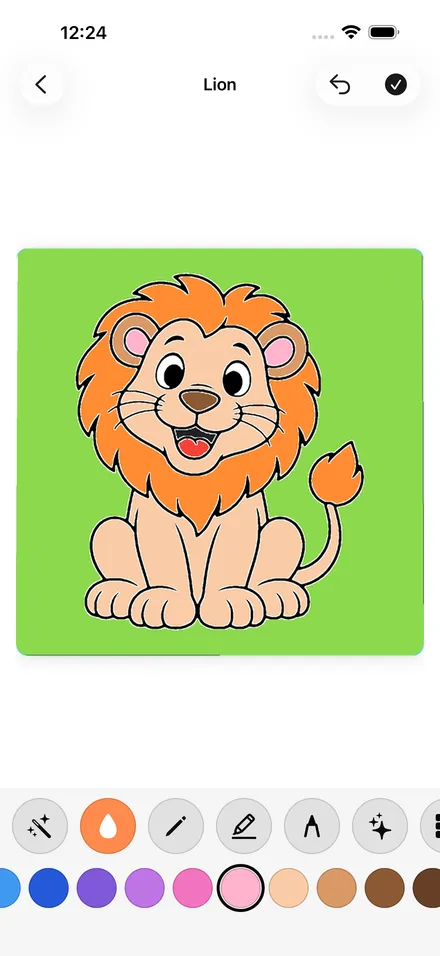
Simple mode is a parent setting made for the youngest children. With it on, the toolbox holds two tools:
- Tap to fill: tap a space and it fills with color.
- Magic brush: move a finger over the picture and the color stays inside the lines.
Everything else is put away until a parent turns Simple mode off: the crayon, marker, Tiny pen, glitter, patterns and stickers.
How do I set Gullu up for a 3 year old?
- Download Gullu and make a profile for your child. Each profile has its own map, progress, gallery and avatar.
- Open the settings. They are behind a parental gate that asks a multiplication question.
- Turn on Simple mode.
- If you do not want pictures going to your photo library, switch off saving to Photos.
- Open a land on the map and start with its first page, which is free.
What happens when a page is finished?
Each finished page gets its own art show, with confetti. The page then adds to the world map. A land gets a sticker when a child starts it and a gold star when every page in it is done, and finished pictures are kept in the child's My Gallery.
When should I turn Simple mode off?
That is your call as a parent. When two tools start to feel like too few, turn Simple mode off and the crayon, marker, Tiny pen, glitter, patterns and stickers return. One-tap undo is there for mistakes. Later, "Draw it" lets a child trace a dotted guide part by part and then color it.
Does it cost anything?
The download is free on iPhone, iPad and Mac, and the first page of every land is free. Gullu Plus unlocks the rest of its more than 1,000 coloring pages for US$3.99 a month, US$24.99 a year or US$39.99 once. There is no free trial. The free page has the details.
Are there ads?
Not on iPhone, iPad or Mac: no ads, no tracking, no account. The Android version, still in closed testing, will have ads. See the no-ads page.
Our guide on when kids start coloring covers what children tend to do at each age, with sources. The page for toddlers and preschoolers covers ages 3 to 5 more broadly.
Gullu is on the App Store.
FAQ
What age is Gullu designed for?
Ages 3 to 7. Three is the youngest age it is designed for.
What is Simple mode in Gullu?
A parent setting that leaves only the magic brush and tap to fill, for the youngest children.
Can my 3 year old change the settings?
Settings are behind a parental gate, which asks a multiplication question.
Is Gullu free for a 3 year old to try?
Yes. The download is free and the first page of every land is free with every tool. There are no ads on iPhone, iPad and Mac.